Why Your Restaurant Isn’t Showing Up on Google Maps (and How to Fix Your Ranking)

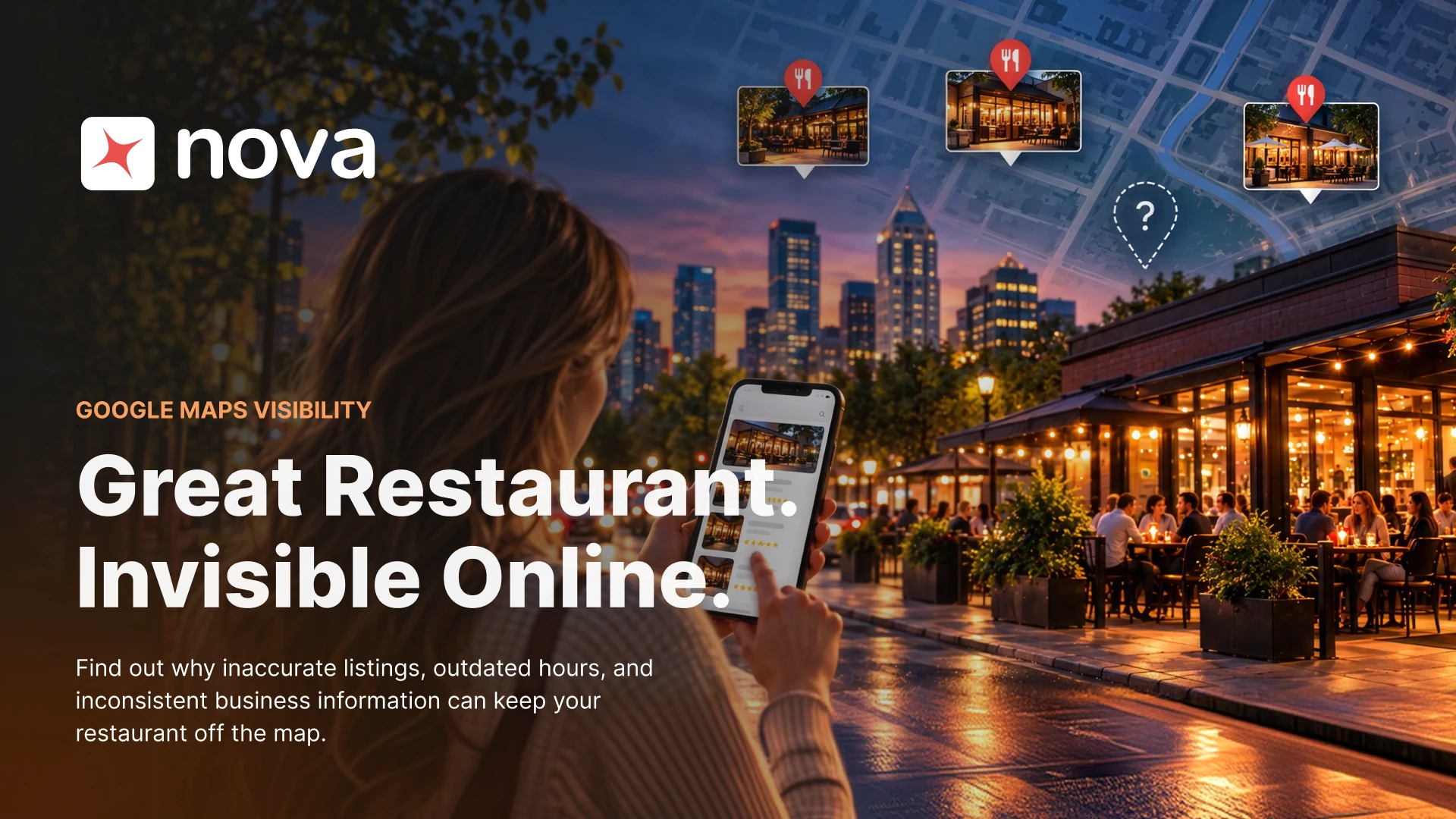
It’s Friday, a little after six. Someone two blocks from your door types “restaurant near me” into Google; the map fills with a handful of pins, and within a couple of minutes they’ve picked one.
You’ve fed this neighborhood for years. Regulars know your staff by name, and the five-star reviews keep coming in. Your restaurant still isn’t on that map.
That guest might have loved your food, and they’ll never know you exist. People searching for dinner look at whatever Google puts in front of them and decide from there. For an operator, your restaurant’s Google Maps ranking decides whether you make that shortlist at all.
How Diners Choose a Restaurant on Google
BrightLocal’s 2026 consumer search research found that 84% of US consumers had searched for a local business online in the previous three months. Most of them didn’t look far. 72% considered three or fewer businesses before deciding, and 28% made up their minds in under five minutes. People moved between channels too (75% used more than one during their latest local search), yet 71% turned to Google Search at some point along the way.
Restaurants lean on Google even harder. A PYMNTS study of more than 2,200 US consumers found that 62% of restaurant customers used Google to search for restaurants, the highest share of any digital platform it measured.
Put together, those numbers describe a quick decision made mostly on Google. Guests read your hours and address there and plan their evening around what they see.
Why Your Google Maps Ranking May Be Slipping
When visibility drops, most operators reach for marketing fixes like keywords, new photos, backlinks, or paid ads. Those have their place, though a more basic question comes first: does Google have an accurate, consistent picture of your restaurant?
Whitespark’s 2026 Local Search Ranking Factors report asked 47 local search experts to score 187 ranking factors. Here are their top five for Local Pack and Maps rankings:
- Primary Google Business Profile category
- Proximity to the searcher
- Keywords in the business title
- Physical address in the city being searched
- Whether the business is open at the time of the search
Whitespark is upfront that these come from expert observation and testing. Google doesn’t publish its formula, and changing one field won’t guarantee you a top-three spot. Look at the list again, though. Apart from proximity, nearly every item on it depends on accurate business information that stays current.
What a Broken Google Business Profile Looks Like
Fully broken listings are rare. Most restaurants have a pile of small mismatches that built up over the years.
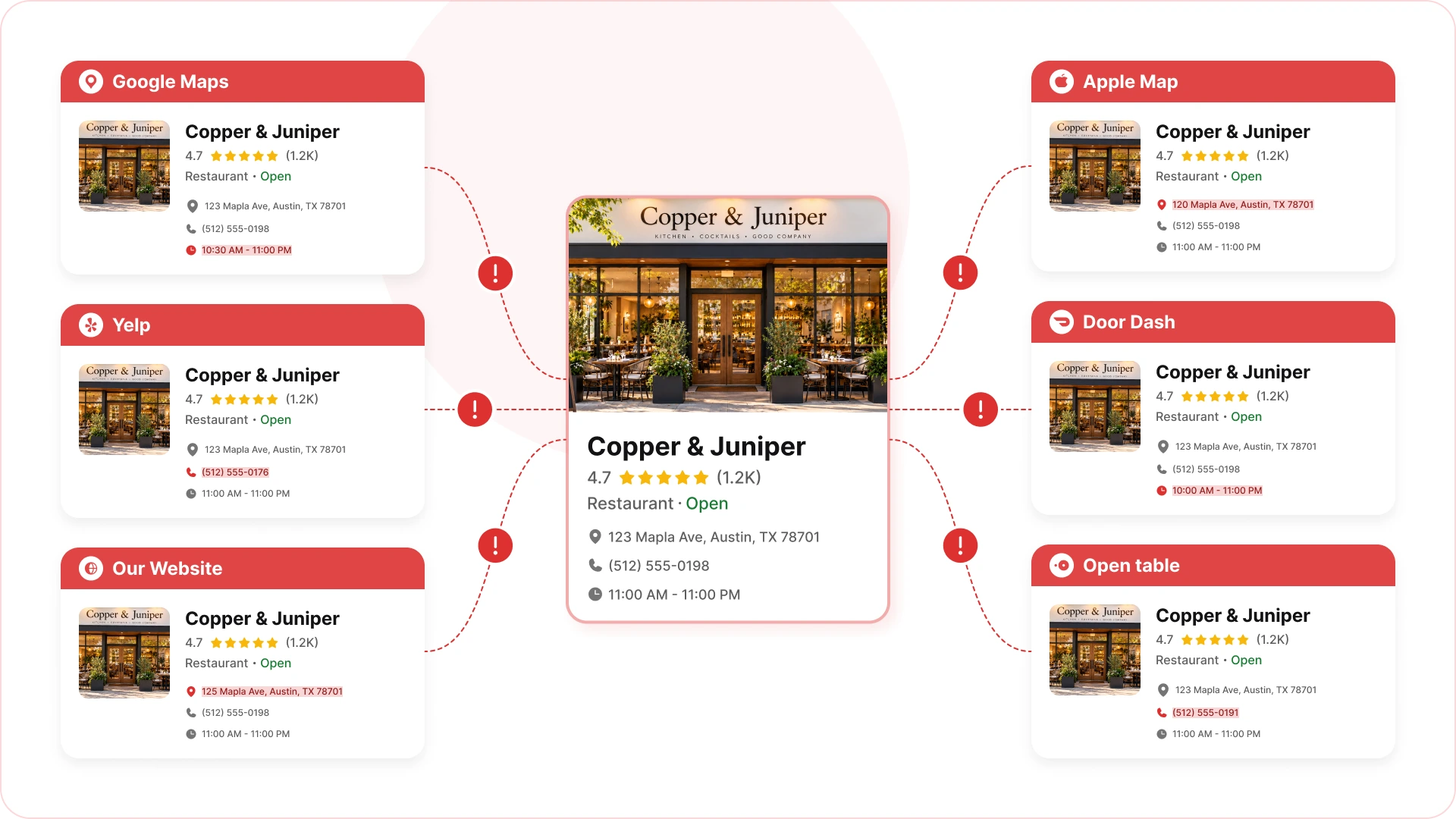
Google says you close at 10 PM, while your website says 11. Yelp formats your address its own way. One delivery app is still showing last year’s hours. Someone posted the holiday closure on Google and forgot about Instagram. Your primary category hasn’t changed since opening day, even though the concept has moved on.
Left alone, these add up to an online version of your restaurant that stopped matching the real one a while ago.
Rankings take a hit, and so does trust. BrightLocal’s Local Business Discovery & Trust Report found that 56% of consumers run into incorrect business information online at least every few months, and 62% would avoid a business after finding wrong details about it. A bad address would cost the trust of 46% of consumers. For a wrong phone number, the figure is 45%.
Five Ways to Improve Your Restaurant’s Google Maps Ranking
1. Pick the Right Category and Keep Your Name Honest
Google first needs to know what kind of restaurant you are. Choose the most specific primary category that’s accurate. A ramen shop or a Neapolitan pizzeria should look for a precise option before settling for plain “Restaurant.”
Use your real-world name on the profile. Whitespark ranks keywords in the business title among the strongest Maps factors, and the same report lists keyword stuffing in the profile as a negative factor that can lead to ranking loss or suspension. Tacking “Best Tacos Downtown” onto your name is the kind of edit that gets profiles flagged.
2. Treat Your Hours as a Ranking Signal
“Open at the time of search” sits in Whitespark’s top five Maps factors. When Google thinks you’re closed, you’re less likely to show up, even with the lights on and the kitchen running.
Guests use your hours to decide, too. In BrightLocal’s 2026 research, 85% of consumers said contact information and opening hours are important when researching a local business. Another 26% said they arrive too early or too late at least once a month because a listing had the wrong hours.
You can spend thousands bringing people in and lose some of them to a wrong closing time. Keep regular hours current. Set special hours for every holiday, and post temporary closures as soon as you decide on them.
3. Keep Your Details Consistent Across Every Platform
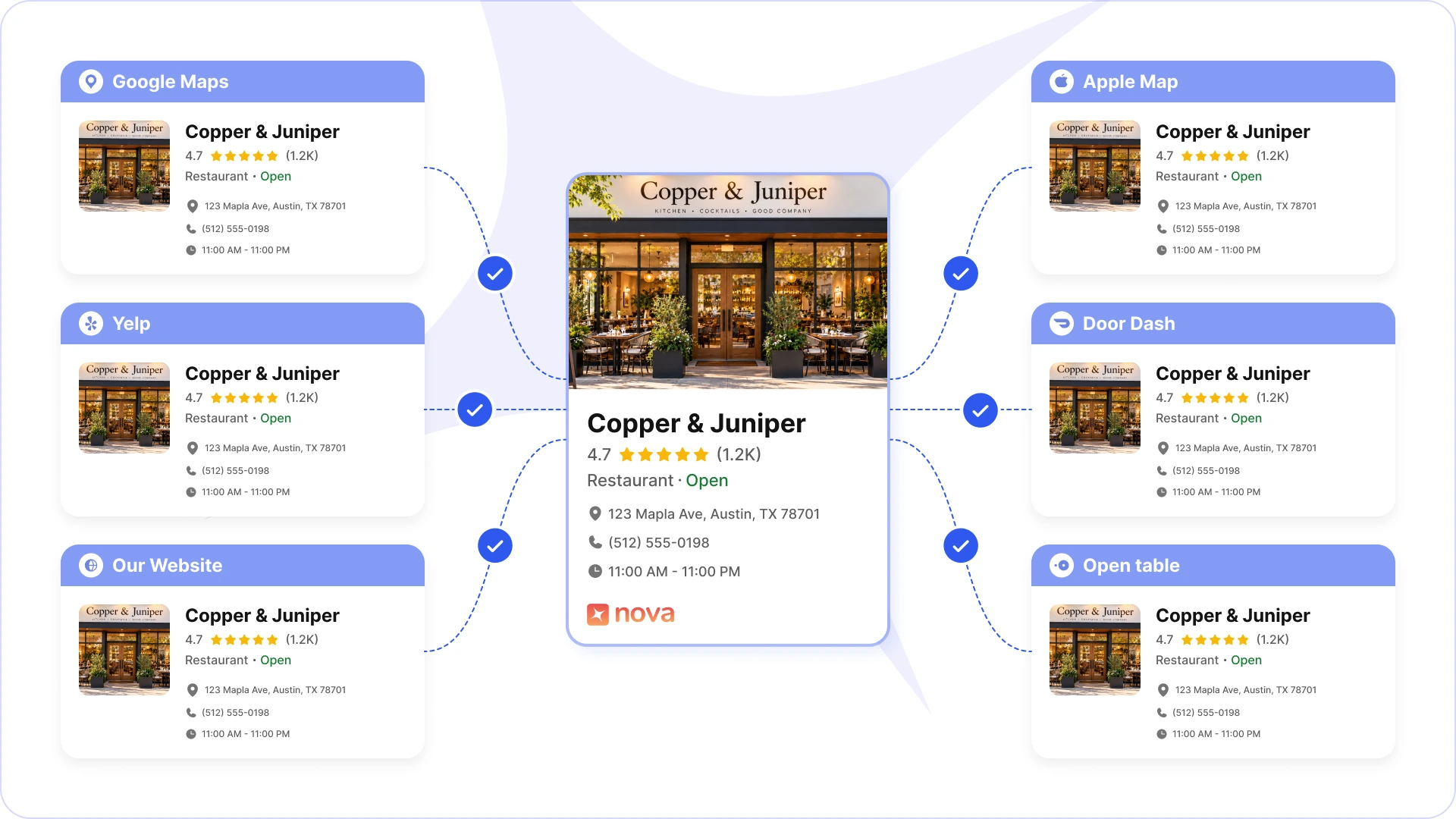
Your business information lives on Google, Apple Maps, Yelp, your website, reservation platforms, delivery marketplaces, and social profiles, which is probably more places than anyone on your team is tracking.
Each one tends to get updated on its own schedule. A manager fixes Google and never gets around to Yelp. The website gets redesigned while an old phone number hangs on in some directory. A new location opens, and somebody builds its profile by hand, with details that drift a little from your internal records.
Guests pick up on it. BrightLocal found that 96% of consumers believe it is important for a local business to actively manage its online presence, and a third of them call it essential.
One location can get by informally. At ten or fifteen locations, NAP consistency (name, address, phone) turns into an operations problem. Keep a central record for each location with:
- Business name
- Address
- Phone number
- Regular hours
- Holiday and special hours
- Primary category
- Location-specific details
Then audit your major listings on a set schedule. A regular check catches mismatches while they’re still small and easy to fix.
4. Build a Steady Review Cadence
A lot of restaurants run reviews like a campaign. They push hard for five-star ratings during a promotion and go quiet for months afterward. Reviews work better as an ongoing record of what guests experience, and recency counts.
According to BrightLocal’s 2026 Local Consumer Review Survey, the average consumer uses six different review sites when choosing a business, so your reputation extends well past Google. 74% care about reviews written in the last three months, and 44% see a review from the past month as an important signal.
Your replies count as well. 37% of consumers consider an owner’s response an important factor, and 63% expect to hear back within a few days to a week.
Turn it into a routine:
- Ask real guests for feedback on a regular rhythm
- Check new reviews across platforms every week
- Reply to every review within a few days, good or bad
- Pass recurring complaints to the kitchen or front-of-house lead
5. Run Location Data From a Single Source of Truth
You can clean up your Google profile today and find the same mess three months from now, because the details still live in systems that don’t talk to each other.
Menus make a useful comparison. Nobody would run one menu in the POS, a second on the website, and a third in online ordering. Your name, address, and hours deserve the same care, and they shouldn’t depend on several people remembering to update several systems.
Every new location raises the cost of getting this wrong. Treat restaurant location data as infrastructure: one accurate record that feeds every channel your customers see.
How Nova Helps Restaurants Keep Business Information in Sync
Every restaurant already has a source of truth for its operations. Trouble starts when guest and location information sits in separate systems, and keeping it consistent everywhere customers search becomes a manual job.
Nova is an all-in-one, AI-native restaurant management platform that brings restaurant operations and guest data together. With guest and location information managed in one structured place, it’s easier to keep details consistent across your operations and the customer-facing channels where accuracy matters.
That gets more important with each opening. Hours, addresses, and phone numbers have to stay right wherever people find your brand. Nova gives multi-location operators a more reliable source of truth, so they depend less on scattered records and manual updates.
Curious how your listings hold up? Nova offers a free listing audit that checks your business name, address, phone number, hours, and category across key platforms and flags any discrepancies.
A Monthly Google Business Profile Checklist
Start with a short routine once a month. It catches most of the problems that slip through.
- Business information: Check your name, primary category, address, and phone number.
- Operating hours: Confirm regular hours, holiday hours, and any temporary closures.
- Cross-platform consistency: Compare Google, Apple Maps, Yelp, your website, reservation platforms, and your main delivery channels.
- Reviews: Look through new feedback and reply on a predictable schedule.
- Location changes: Add listing updates to the operational checklist any time a location opens, closes, moves, or changes hours.
Multi-location groups should name an owner for this. That person is accountable for location data accuracy and knows what to do when operational details change.
Google Maps Ranking Is Now Part of Operations
Local SEO used to mean keywords, citations, backlinks, and reviews, and all of those still count. The research in this article points somewhere wider. What moves Maps visibility most, and what guests rely on when they choose, is accurate and current business information.
So next to “How do I rank higher on Google Maps?”, ask a second question: “Does every channel show the same, accurate version of my restaurant?”
Google can only understand your business as well as your own systems do. Guests pick a restaurant in minutes, and whether yours lands on their shortlist comes down to details your team controls every day.
Frequently Asked Questions
1. Why is my restaurant not showing up on Google Maps?
The usual causes are an incomplete or unverified Google Business Profile, a primary category that’s too broad, or business details that don’t match across platforms. Google also weighs how close the searcher is and whether you’re open at the time of the search. Verify your profile, check every detail, and keep your hours current.
2. How can I improve my restaurant’s Google Maps ranking?
Pick the most accurate primary category and fill out your Google Business Profile completely. Keep your hours correct, add recent photos, and ask real guests for reviews. Your name, address, and phone number should match on your website, in directories, and on every other platform. These steps strengthen your local search presence, though Google never guarantees a position.
3. What is Google Business Profile, and why does it matter for restaurants?
Google Business Profile is Google’s free tool for managing how your business appears on Google Search and Maps. It shows your address, phone number, hours, website, photos, reviews, and other details. Diners use a complete, accurate profile to find you and decide where to eat.
4. How do business hours affect restaurant visibility on Google Maps?
Google considers whether a business is open at the moment someone searches. Wrong hours can hurt your visibility and send hungry guests to a locked door. Keep regular hours accurate, add holiday and special hours, and post temporary closures on your profile right away.
5. Why does consistent business information matter for restaurant local SEO?
Guests should see the same details about your restaurant wherever they look. When your name, address, phone number, or hours differ across Google, Apple Maps, Yelp, your website, and delivery apps, people get confused and trust you less. A central record for each location makes these NAP mismatches easy to spot and fix.
6. How can multi-location restaurants manage their Google Business Profiles efficiently?
Keep one central record per location covering name, address, phone number, hours, and other key details. Give someone clear ownership of updates and audit listings on a regular schedule. New openings, relocations, and holiday schedules should reach every relevant platform. The more locations you run, the more this pays off.
7. Do customer reviews affect restaurant Google Maps rankings?
Reviews feed into local search visibility and shape how guests judge your restaurant. Review quantity, quality, and other reputation signals can all play a part. Ask for honest feedback without offering incentives for positive reviews, reply professionally to complaints, and keep your review process steady.
8. How often should restaurants update their Google Business Profile?
Review it at least once a month, and update it the moment something important changes: hours, holiday schedules, phone numbers, addresses, categories, or temporary closures. Multi-location groups should set up a recurring audit so every location stays accurate across customer-facing channels.
9. How can restaurant management software support local search visibility?
Management software can standardize operational information and cut the manual work of running multiple locations. Nova, an all-in-one AI-native platform, connects core restaurant operations and gives growing operators more structured workflows. Direct syncing of listings to Google, Apple Maps, and other platforms depends on each tool’s specific capabilities.
10. How can I check whether my restaurant listings contain incorrect information?
Compare your Google Business Profile against your website, Apple Maps, Yelp, reservation platforms, and major delivery services. For every location, check the name, address, phone number, hours, and primary category. A recurring audit catches discrepancies before they confuse guests, and restaurant groups save a lot of time by keeping a central record of verified location details.