Solutions · Catering

Take catering orders online. Run them from
one platform.

Guests build and place catering orders on your website. Your team builds and manages them from the same system that runs the rest of the restaurant. Orders reach the kitchen with lead times, delivery is handled, and you get paid the way your business actually works.
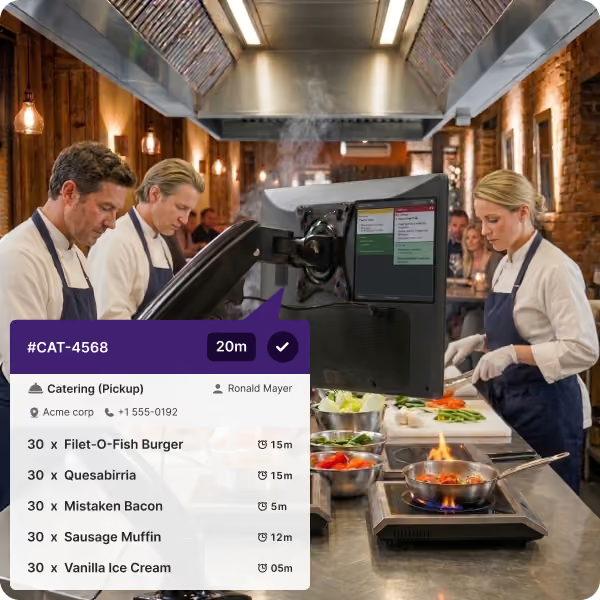
Three chefs in aprons working in a brick-walled kitchen with a cooking station and a monitor displaying catering order details including item names, quantities, and preparation times.
How it works

One catering system, two ways in.

The guest and your staff work from the same catalog, the same pricing, and the same availability. Nobody re-keys anything.
Guest facing

Catering ordering on your website

Guests place a full catering order themselves, without a phone call and without waiting for a callback.

  • Catering menu with packages, trays, and per-person sizing
  • Headcount-driven quantities and suggested portions
  • Lead times and cutoffs enforced at checkout
  • Delivery or pickup, with address and time window
  • Utensils, setup notes, and special instructions
  • Payment or deposit taken at order
Staff facing

Order builder and management console

Your team takes the order however it arrives and manages it through to the event from one screen.

  • Build and edit orders from phone, email, or walk-in
  • Quote, adjust pricing, and apply account terms
  • Full order history search across every catering order
  • Duplicate a past order for a repeat customer
  • Production view by date, so the kitchen sees what is coming
  • Change an order after it is placed, with the trail intact
What's included

Everything a catering order needs, in the platform.

Search your whole catering history
Find any order you have ever taken by customer, company, date, event, or item. Pull up what a client ordered last December and rebuild it in a click instead of starting from a blank screen.
ezCater orders in the same queue
Marketplace catering orders flow into the same system as your own. One production list, one history, one set of numbers, whether the order came from your site or from ezCater.
Delivery, handled
Assign and dispatch catering deliveries with the address, time window, and contact attached to the order. Drivers know where it goes and when it has to be there.
Lead times and production dates
Cutoffs are enforced when the guest checks out, and the kitchen sees catering on the production schedule ahead of the day rather than as a surprise on the line.
Corporate accounts and repeat clients
Office and event clients keep a profile with their contacts, addresses, usual order, and agreed terms, so the fifth order takes a fraction of the time the first one did.
Invoices, quotes, and receipts
Send a quote before the order is confirmed, an invoice on the terms you agreed, and a receipt when it is paid. All of it attached to the order rather than sitting in someone's email.
Payments

Get paid the way you already do business.

Catering is not a counter transaction, so it should not be forced into one. Pick the terms per order, per customer, or per order type.
At order
Paid in full up front
The guest pays the whole amount at checkout. Best for one-off orders and new customers, and the simplest to reconcile.
Split
Deposit now, balance later
Take a deposit to hold the date and collect the balance when the order is finalized or delivered. Set the deposit as a percentage or a flat amount.
On the day
Payment at the event
Nothing charged until the order is delivered or picked up. For corporate accounts and repeat clients who settle on their own terms.
Whichever you choose, the payment is part of the catering order rather than a separate transaction someone has to match up later. Deposits, balances, refunds, and adjustments all stay attached to the order they belong to.

Different order. Same restaurant platform.

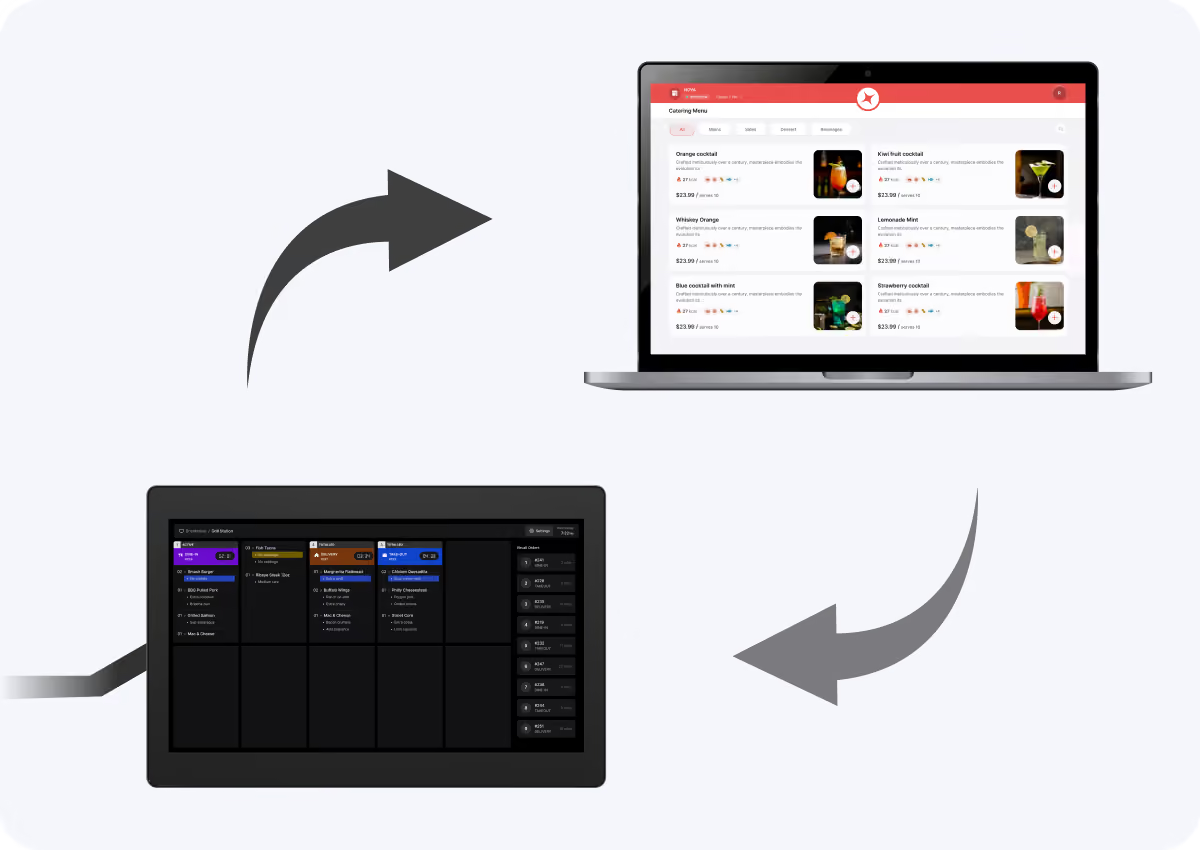
Catering has different workflows, but it should not require a different system. Nova connects catering with your POS, online ordering, kitchen, back office, and guest data. Your kitchen sees all production together, catering revenue flows into unified reporting, and every catering customer remains part of the same guest profile.
  • One platform for catering and restaurant operations
  • Shared menus, guest data, and reporting
  • Unified kitchen and production visibility
  • Turn catering customers into repeat guests
A flow diagram with two arrows connecting a laptop displaying a catering menu with cocktail options and prices, and a kitchen display screen showing order details and status for multiple food items.

See catering on your own menu.

We will set up your catering packages, lead times, and payment terms in a demo environment and show you the guest side and the staff side end to end.