
In 2026, the bar for restaurant service has never been higher. Guests expect their orders taken instantly, customized without friction, and their bill settled at the table - not after waiting three minutes for a server to return from a fixed terminal. This is not a hospitality trend. It is the new operational baseline, and restaurants still running on traditional stationary POS systems are losing tables and guests to faster operators.
The driver behind this shift is the restaurant handheld POS system. What started as a convenience tool for fine dining is now mission-critical across every restaurant format - from high-volume QSRs managing lunch rushes to coffee shops processing orders in under 60 seconds. The global restaurant mPOS market is projected to grow at 7.1% CAGR through 2030, and the data backs it up: 82% of restaurants report measurably faster service after deploying handheld POS devices, and 63% see higher average check sizes.
But the 2026 landscape has raised the stakes further. Today's best handheld POS systems are AI-native. They do not just process orders - they surface real-time recommendations, flag 86'd items before the server reaches the table, capture guest preferences for next-visit personalization, and feed kitchen display systems directly with zero lag. The gap between restaurants running AI-native handheld POS and those using a basic tablet app is growing every quarter.
This guide covers everything you need to know: how handheld POS works, what to look for when evaluating systems in 2026, how the technology applies across different restaurant formats, and why AI-native platforms like NOVA are raising the ceiling on what mobile ordering can do.
What is a Restaurant Handheld POS?
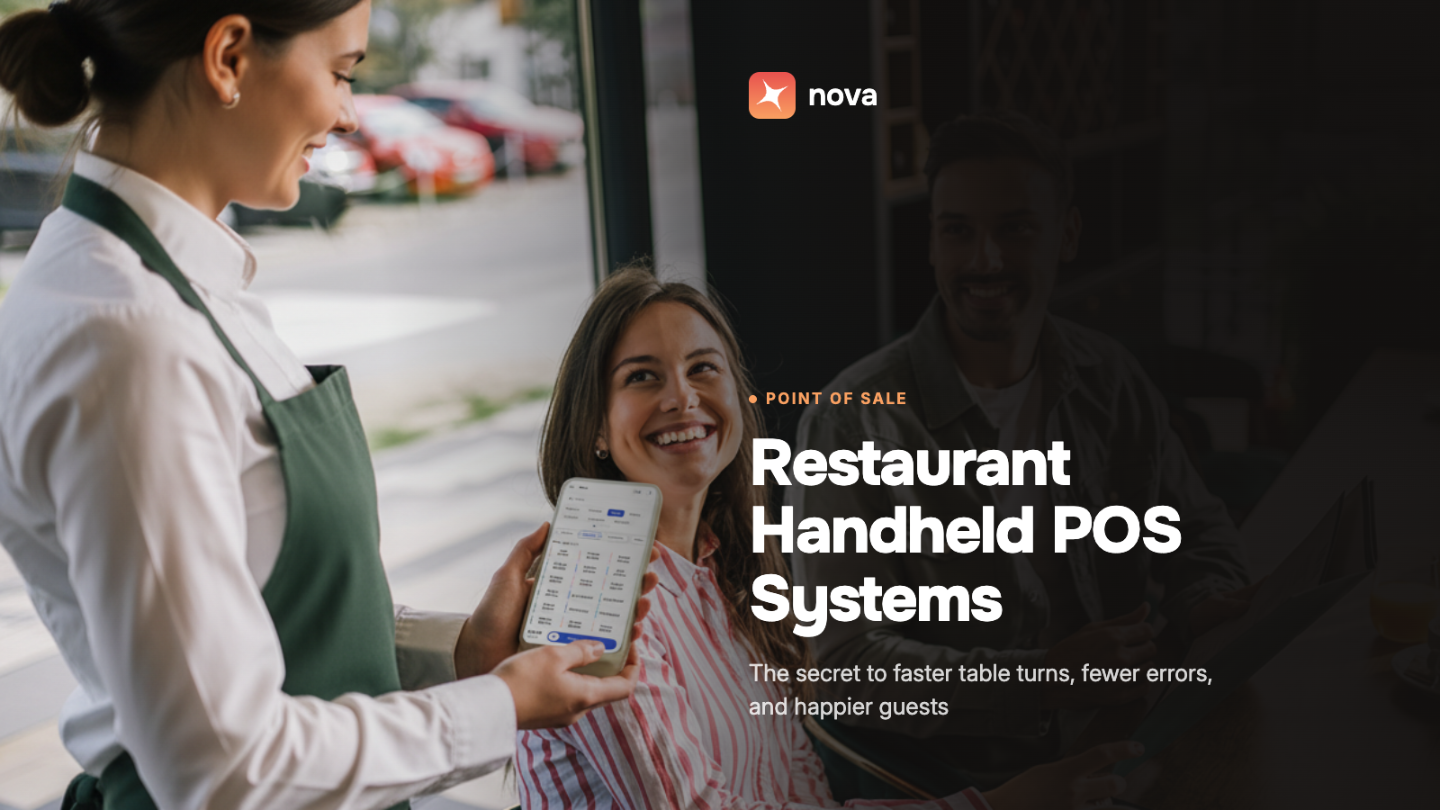
A restaurant handheld POS system - also referred to as an mPOS - is a mobile device that offers all the functionality of a traditional POS: processing transactions, registering orders, and accepting payments. It runs on a compact touchscreen interface where servers can view menu pricing, add-ons, modifiers, and real-time recommendations without stepping away from the table.
Unlike stationary terminals that anchor servers to a single point on the floor, a handheld POS travels with the server. Every part of the guest interaction - order entry, upselling, payment, tipping, loyalty redemption - happens at the tableside. The kitchen receives orders the instant they are confirmed, with no relay step in between.
In 2026, the most competitive handheld POS systems are AI-native, meaning they actively assist the server rather than simply recording input. They surface dish pairings, flag low-inventory items, display a guest's order history, and prompt upsell opportunities based on what is selling well that shift.
How Restaurant Handheld POS Ensures Faster Turns
Table turnover rate - the number of different guest groups served at a table during a given period - is one of the most direct levers on restaurant revenue. Every minute saved per turn, across every table and every service period, compounds into material revenue gains.
To understand how handheld POS accelerates turns, consider the traditional ordering process. Guests sit down and call for the server. The server takes the order by memory or notepad, then walks back to the counter to enter it into the stationary POS. When guests are ready to pay, the server collects the card, walks back to the terminal, processes the payment, and returns with the receipt. That is three to four round trips per table just to complete a single turn.
With a handheld POS, all of that changes. The server takes the order at the table, confirms it on the device, and it hits the kitchen display instantly. Payment is processed tableside - no card collection trip, no counter visit, no waiting. Most operators achieve turn time reductions of 8 to 12 minutes per table after deploying handheld POS systems.
At a 40-cover restaurant running three service periods, reducing each turn by 10 minutes can mean serving 15 to 20 additional covers per day. Over a week, that is a significant revenue difference without adding a single seat.
Handheld POS vs Traditional POS: What's the Real Difference?
The difference between a handheld POS and a traditional stationary POS is more than convenience - it is a fundamentally different operational model. Here is how they compare across the dimensions that matter most to restaurant operators.
Order Entry Speed: Traditional POS requires 3 to 4 server trips per table to the counter and back. An AI-native handheld POS means zero extra trips - orders are entered and sent to the KDS tableside instantly.
Order Accuracy: Traditional POS is prone to errors in transit from table to terminal. With handheld POS, orders are confirmed at the table and sent directly to the KDS - near-zero transcription errors.
Table Turn Time: Traditional POS averages 45 to 65 minutes in casual dining. Handheld POS delivers an 8 to 12 minute reduction reported by most operators.
Upselling: Traditional POS has servers relying on memory or printed cheat sheets. Handheld POS surfaces AI-driven upsell prompts, modifier suggestions, and pairing recommendations on screen.
Payment Processing: Traditional POS requires the card to be collected, walked to the terminal, and the receipt returned. Handheld POS processes split bills, tips, and contactless payments tableside without leaving the guest.
Guest Data Capture: Traditional POS captures order-level data only at the terminal. Handheld POS gives servers a full guest profile - preferences, order history, loyalty status - visible tableside.
Staff Coverage at Peak: Traditional POS creates a bottleneck at the terminal during the rush. Handheld POS has no terminal queue - unlimited concurrent order and payment processing.
86'd Item Handling: Traditional POS means servers discover unavailability after kitchen review. Handheld POS provides real-time inventory sync - 86'd items are flagged before the server approaches the table.
Restaurant Handheld POS: Enhancing Guest Experiences
Personalization at the Table
A restaurant handheld POS takes tableside ordering to the next level. Servers can view a guest's order history and recommend dishes based on past preferences. Because servers have all the information at their fingertips, they can suggest add-ons and modifiers confidently rather than guessing. Handheld POS systems integrated with loyalty programs enable servers to communicate active offers and points balances in real time.
Higher Order Accuracy
When servers take orders manually and then relay them at a counter terminal, errors creep in: the wrong modifier, a missed dietary restriction, a forgotten item. With a handheld POS, orders are confirmed at the table and sent directly to the kitchen display. 70% of restaurants report measurable improvements in guest satisfaction after reducing order errors through handheld POS deployment.
Faster Checkouts
Paying the bill at a full-service restaurant is often the most friction-heavy part of the guest experience. The server brings the bill, collects the card, walks to the terminal, processes payment, and returns. With handheld POS, payment is completed at the table. Guests can split the bill in real time and pay with their preferred method -- credit card, Apple Pay, Google Pay, or contactless - without waiting.
Tipping Made Simple
Rather than asking guests to calculate percentages on a paper receipt, handheld POS systems display preset tipping options directly on the device. Guests select their preferred tip amount with one tap and the calculation is done automatically. They can also enter a custom amount if preferred. This consistently results in higher tip averages and a smoother checkout experience for both guest and server.
Operational and Cost Benefits
Staff Efficiency
Because servers take orders and process payments at the table, the number of trips per cover drops significantly. During peak service when the dining room is full, servers no longer queue at a stationary terminal. Each server can effectively manage more tables at the same time, which means a leaner team can handle higher volume without a drop in service quality.
Increased Revenue and Upselling
Handheld POS opens more natural upselling moments. With real-time visibility of what pairs well with specific dishes, servers can make confident suggestions at the point when guests are most receptive - during the order itself. Personalized recommendations based on order history take this further. The combination of faster turns and higher check averages from upselling creates a compounding revenue effect.
Real-Time Inventory Updates
One of the most avoidable service failures in any restaurant is a guest placing an order only to be told minutes later that the item is unavailable. Handheld POS systems with real-time inventory sync surface 86'd items on the server's device before they approach the table. The server can redirect the guest immediately, preserving the experience rather than disrupting it.
Seamless Integration Across Your Tech Stack
Modern handheld POS systems are not standalone devices. They integrate with inventory, CRM, loyalty programs, online ordering, and analytics platforms. This means restaurant managers can access real-time data on sales, staff performance, guest preferences, and inventory trends from a single dashboard. That visibility drives smarter decisions across menu design, workforce allocation, and purchasing.
Integrated Tip Management
Beyond the guest-facing tipping experience, handheld POS enables automated tip distribution. Tips collected through the device are processed according to pre-defined distribution rules, reducing manual calculation errors and the administrative overhead of tip pooling at the end of each shift.
How to Choose a Restaurant Handheld POS System: 7 Things to Look For
Not all handheld POS systems are built equal. The gap between an entry-level tablet solution and an AI-native handheld platform is significant - and choosing wrong costs you in table turns, staff efficiency, and guest retention. Here are the seven criteria that matter most when evaluating options.
1. AI-Native Intelligence: A handheld POS should do more than accept input - it should actively assist the server. Look for real-time menu recommendations based on guest order history, AI-driven upsell prompts based on inventory and demand, and automatic 86'd item flagging synced from inventory. If the system cannot surface insights, it is a tablet with a POS app, not a competitive tool.
2. Kitchen Display System Integration: The value of a handheld POS is destroyed if it does not sync directly with your KDS. Orders should appear on the kitchen display the instant a server confirms them, with course pacing, allergy flags, and modification details intact. Verify that integration is native and not a third-party middleware workaround.
3. Full Tableside Payment Processing: The system must handle contactless payments, EMV chip, Apple Pay, Google Pay, and split bills natively at the table. Integrated tipping prompts with configurable percentage options are a must. Every extra step in the payment flow costs you table turns.
4. Offline Mode Reliability: Wi-Fi dead zones in dining rooms, patios, and basements are real. Your handheld POS must maintain full functionality offline - taking orders, processing payments, queuing for sync - without crashing or losing data. Ask vendors specifically what functionality degrades when the connection drops.
5. Staff Onboarding Time: In an industry with high annual staff replacement, a handheld POS requiring multi-day training is a liability. Look for an interface built for first-day usability. A new server should be able to take a live order within the first hour.
6. Loyalty and Guest Profile Integration: The handheld should surface a guest's loyalty status, preferences, and order history in real time. This enables tableside personalization that drives repeat visits and higher check averages. A siloed loyalty system that does not feed the handheld is leaving personalization revenue uncaptured.
7. Single Unified Platform: A handheld POS is most powerful when it shares a single data layer with your stationary POS, KDS, inventory, scheduling, and analytics. Fragmented systems with API integrations create sync delays and reconciliation headaches. Ask whether the handheld is a true module of a unified platform or a bolt-on addition.
Handheld POS by Restaurant Type
The operational case for handheld POS looks different depending on your restaurant format. Here is how it applies across the four formats where it has the highest impact.
Quick Service Restaurants
Speed is the only metric that matters in a QSR. Handheld POS is deployed at the counter queue, where staff take orders from guests waiting in line before they reach the register. This feeds the kitchen ahead of the guest's arrival and measurably shortens wait times during the lunch rush. AI-native systems add predictive demand signals, surfacing which items are likely to sell out and triggering reorder alerts before the rush peaks.
Full-Service and Fine Dining
This is where handheld POS originated, and the expectations have grown significantly. Guests at full-service restaurants expect orders taken without a notepad, course pacing managed automatically, and bills settled without a prolonged wait. AI-native systems enable tableside personalization that was previously impossible: surfacing guest preferences from past visits, flagging dietary restrictions before the server asks, and recommending pairings with confidence. For operators, handheld POS enables servers to handle more tables without sacrificing attentiveness.
Fast Casual Restaurants
Fast casual sits at the intersection of QSR volume and full-service quality expectations. Handheld POS addresses two specific pain points: counter-side order taking during peak times, and tableside check processing for formats with partial table service. Reducing each turn by 8 to 12 minutes has an outsized revenue impact in fast casual, where the average check is lower, and volume is the primary lever on profitability.
Coffee Shops and Cafes
In a coffee shop, handheld POS addresses the morning rush bottleneck. A single stationary terminal creates a queue that chokes throughput during peak hours. A second staff member with a handheld device can take orders from guests waiting in line before they reach the counter, effectively doubling order intake velocity without adding counter space. For cafes with table service, handheld POS removes the problem of guests trying to flag down a server.
What Does a Restaurant Handheld POS Cost?
Pricing for restaurant handheld POS systems varies based on whether you are buying standalone hardware, a bundled platform subscription, or an all-in-one solution. Here is an honest breakdown.
Hardware (per device): $300 to $700 per handheld unit. Commercial-grade tablets with restaurant-rated cases and card readers. Durability matters - a device that survives a drop on a busy floor pays for itself.
Software subscription: $50 to $150 per month per location. AI-native platforms with full integration sit at the higher end but eliminate the cost of separate inventory, loyalty, and analytics tools.
Payment processing: 2.3% to 2.6% plus $0.10 per transaction on integrated processing. Platforms with built-in payment processing are more cost-effective at volume than third-party integrations.
Onboarding and training: Premium platforms include training in the onboarding package. Watch for hidden implementation fees. A system requiring a consultant to deploy adds cost that does not appear in the headline price.
ROI timeline: Most operators recover handheld POS deployment costs within 2 to 4 months through additional table turns, higher check averages from upselling, and reduced order error costs.
Why NOVA for Restaurant Handheld POS
NOVA is an AI-native restaurant management and POS platform built to unify every part of your operation under one data layer. The NOVA handheld POS is not a separate tablet tool - it is a native module of the same platform that runs your kitchen display, inventory, loyalty programs, workforce scheduling, and real-time analytics.
AI-native from the ground up: NOVA's handheld surfaces real-time upsell recommendations, menu optimization suggestions, and 86'd item alerts directly on the server's device. Every interaction is informed by live data, not static menus.
Truly unified platform: From handheld to KDS to inventory to loyalty, every part of your restaurant shares one data layer. Orders placed on the handheld update inventory instantly, feed the kitchen display directly, and log against the guest's loyalty profile in the same transaction.
Designed for day-one usability: NOVA's interface was designed for the hospitality environment - intuitive enough for a new server to take a live order within the first hour, powerful enough to handle the complexity of a multi-course service. Less training time means lower onboarding costs and faster ramp-up for new staff.
Easy tableside ordering: NOVA's handheld POS enables quick and contactless payments, enhancing the guest experience. Guests pay from their table with their preferred payment method. Bill splitting happens in real time.
Enhanced tip management: NOVA's integrated Tip Manager facilitates fair tip distribution and payouts. Tips added through the handheld are distributed automatically as per the pre-defined policy.
.png)
Frequently Asked Questions: Restaurant Handheld POS Systems
What is a restaurant handheld POS system?
A restaurant handheld POS system (mPOS) is a mobile device that gives servers all the functionality of a traditional POS terminal in a portable form. Servers use it to take orders, send them directly to the kitchen, process payments, and access guest loyalty profiles - all at the tableside, without returning to a fixed counter terminal.
How does a handheld POS system improve table turns?
By eliminating the back-and-forth trips servers make between tables and a stationary POS, handheld systems remove 3 to 4 extra steps per table turn. Payments are processed tableside, orders hit the kitchen display instantly, and servers can manage more tables simultaneously. Most operators report turn time reductions of 8 to 12 minutes per table.
What is the difference between a handheld POS and a self-ordering kiosk?
A handheld POS is used by a server - it supports the service relationship while eliminating operational friction. A self-ordering kiosk is used by the guest and removes the server from the order-taking step entirely. The two work well together: kiosks for counter service, handhelds for table service areas of the same restaurant.
Can handheld POS systems work without Wi-Fi?
The best handheld POS systems include a reliable offline mode - they continue taking orders and processing payments when the Wi-Fi connection drops, then sync automatically when connectivity is restored. Verify offline capabilities with any vendor before purchasing, as not all systems handle this consistently.
How long does it take to train staff on a handheld POS?
Well-designed handheld POS systems are built for hospitality environments with high staff turnover. A new server should be able to take a live order within the first hour. Systems requiring multi-day training are a liability in an industry with high annual staff replacement rates.
Is a handheld POS worth it for a small restaurant?
Yes - the ROI case is actually stronger for small restaurants. With fewer servers, eliminating terminal trips has a proportionally larger impact on service capacity. A two-server operation that removes 20 extra trips per shift recovers significant labor efficiency. The key is choosing a platform with all-in-one pricing rather than paying separately for each module.
Do restaurant handheld POS systems integrate with kitchen display systems?
Native KDS integration is a critical requirement. When a handheld POS and KDS share the same platform, orders appear on the kitchen display the instant a server confirms them, with full modifier and allergy detail. Third-party integrations between separate handheld and KDS systems introduce latency and sync issues that show up during peak service.
What hardware do I need for a restaurant handheld POS?
You need the mobile device (a commercial-grade tablet or dedicated handheld unit), an EMV/NFC-capable card reader for contactless payments, a restaurant-rated protective case, and a charging dock. Most platforms support iOS or Android. iOS devices are more common in restaurant environments due to their reliability and hardware longevity.
The Bottom Line: AI-Native Handheld POS is the New Standard
The conversation about whether to go mobile with your restaurant POS is over. In 2026, the question is whether the system you are running is doing enough.
The gap between a basic tablet-based ordering tool and an AI-native handheld platform is significant and widening. One takes orders. The other surfaces real-time recommendations, syncs with your inventory before the server reaches the table, personalizes the guest interaction based on order history, and feeds your kitchen display with zero lag. Both let you process a payment tableside. Only one is positioning your restaurant to compete as guest expectations continue to rise.
Restaurants that have switched to AI-native handheld POS are reporting concrete outcomes: shorter table turns, higher check averages, fewer service errors, and servers who can manage more covers without the fatigue of constant terminal trips. The operational math compounds quickly. Eight minutes per table turn, across 30 tables and three service periods, is a material revenue difference every single day.
NOVA's handheld POS is built as part of a fully integrated AI-native restaurant platform. Your server's handheld shares one data layer with the KDS, inventory, loyalty, scheduling, and analytics - so every interaction makes the whole operation smarter. Book a free demo with NOVA to see what that looks like in practice.