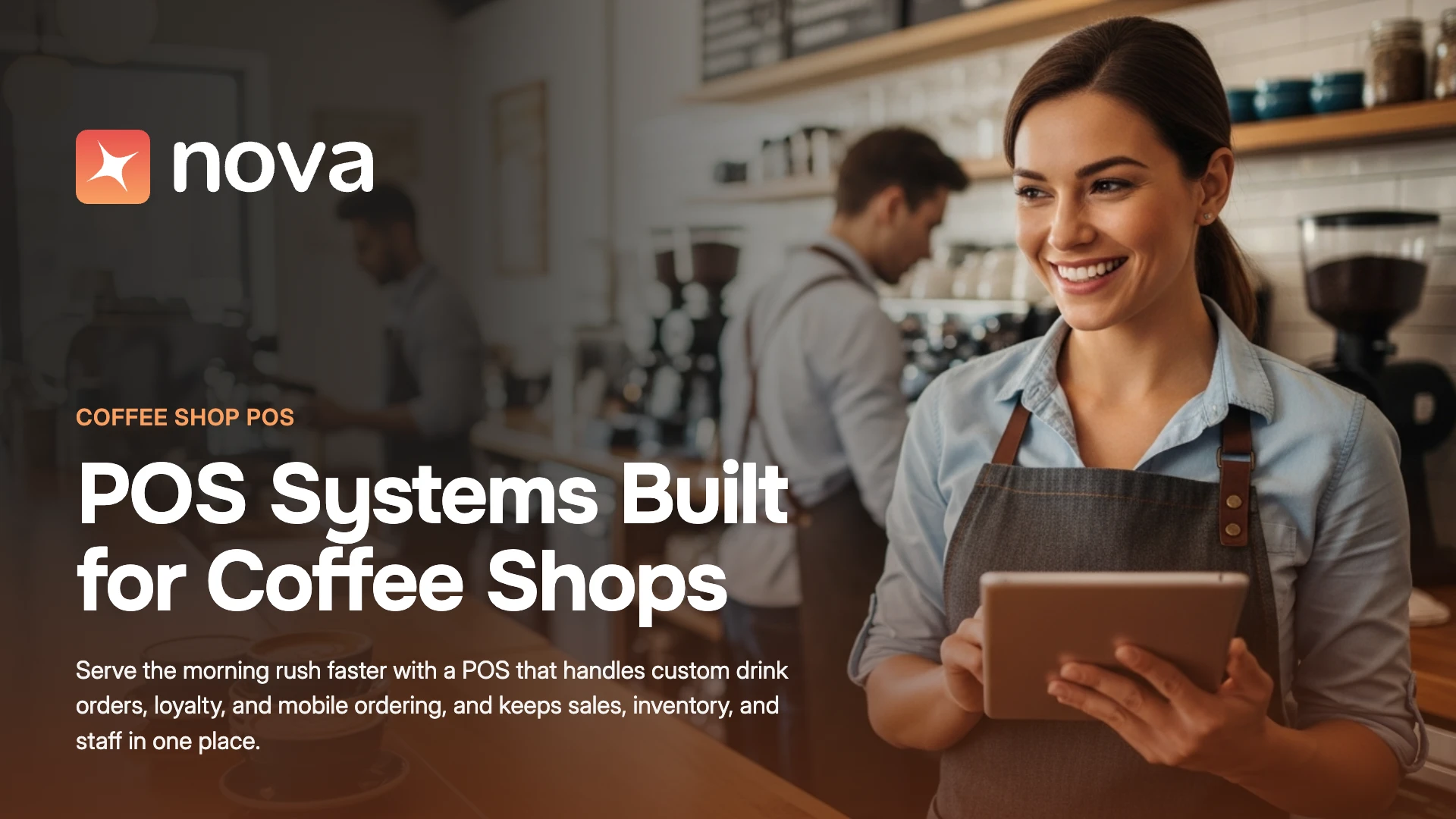

Coffee is a high-frequency, low-ticket business. A café can ring up hundreds of orders before noon, each one carrying three or four modifiers, a tip prompt, and a loyalty lookup. That is why POS systems for coffee shops matter more than they do in almost any other restaurant format: every second at the register and every cent in processing fees gets multiplied across thousands of transactions a month.
This guide covers what modern POS systems for coffee shops actually do, what they cost in 2026, which features matter most for cafés, and how AI and automation are changing the way coffee businesses forecast demand, staff shifts, and build loyalty.
What Are POS Systems for Coffee Shops?
POS systems for coffee shops are the hardware and software cafés use to take orders, accept payments, send drinks to the bar, and track sales, inventory, staff, and customers. A modern café POS usually includes a countertop terminal or tablet, card readers, a kitchen or bar display, and cloud software that connects online ordering, kiosks, loyalty, and reporting.
What separates POS systems for coffee shops from generic retail or full-service restaurant POS is the order pattern. Café orders are small, fast, and heavily customized. A single latte might carry a size, a milk alternative, an extra shot, a syrup, and a temperature preference. The system has to capture all of that in a few taps, print or display it clearly for the barista, and price it correctly every time.
The Coffee Shop Market in 2026: Why POS Choice Matters More Than Ever
Coffee shops are operating in a market with healthy demand and squeezed margins. The numbers below explain why operators are asking more of their POS systems.
Three patterns stand out.
Demand is resilient, but it is shifting toward customized drinks. Toast’s 2026 drink data shows lattes up 4.0% and espresso shots up 3.3% in 2025, while regular hot drip coffee fell 3.3% (Toast, March 2026). Espresso drinks carry more modifiers, which puts more pressure on order entry speed and accuracy.
Costs are rising faster than menu prices. The BLS average retail price for ground coffee rose from $7.02 per pound in January 2025 to $9.37 in January 2026, roughly a 33% increase, while median drip coffee prices on Toast rose 4.3% over a similar period. World Coffee Portal reports that only 30% of surveyed US coffee industry leaders described trading conditions as positive in 2025, down sharply from 2024.
Digital ordering is now a baseline expectation. At Starbucks, mobile orders account for about one in three US company-operated transactions. Independent cafés do not need Starbucks-scale technology, but their customers increasingly expect to order ahead, pay with a phone, and earn rewards automatically, and POS systems for coffee shops now need to support all three.
For operators, the conclusion is practical: POS systems for coffee shops are no longer just checkout tools. They are the system that protects margin when bean costs spike and keeps lines moving when the morning rush hits.
The Evolution of POS Systems for Coffee Shops
POS systems for coffee shops have moved through three distinct phases.
- Cash registers and basic billing machines. Early systems recorded sales and stored cash. Reporting was manual, and inventory lived on clipboards.
- Cloud-based POS. Cloud software brought real-time sales reporting, remote access, integrated card payments, and easier menu updates across devices.
- AI-driven, connected platforms. Today’s leading POS systems for coffee shops connect counter, kiosk, app, and online orders into one data layer, then use that data to forecast demand, recommend staffing, personalize offers, and flag inventory risks.
The third phase is still early. The National Restaurant Association’s State of the Restaurant Industry 2026 found that 26% of restaurant operators use AI-related tools, and only 6% use AI for customer orders. At the same time, 60% of operators plan to invest more in technology to improve the customer experience. That gap is the opportunity for independent cafés and growing coffee chains that move first.
Must-Have Features in POS Systems for Coffee Shops
Not every feature matters equally in a café. The checklist below reflects what POS systems for coffee shops must handle: high volume, small tickets, and heavy customization.
Fast, Modifier-Friendly Order Entry
The most important feature in POS systems for coffee shops is speed with complex orders. Look for nested modifiers (size, milk, shots, syrups, temperature), saved favorites, one-tap repeats for regulars, and a layout baristas can learn in a single shift. Every extra tap during a rush compounds into longer lines.
Integrated Payments and Tipping
Cash accounted for only 14% of US consumer payments in 2025, and five of every six cash payments were under $25, according to the Federal Reserve’s 2026 Diary of Consumer Payment Choice findings. POS systems for coffee shops still need to handle cash, but tap-to-pay, mobile wallets, and customizable tip prompts are now table stakes. Toast reports that the average tip at quick-service restaurants was 15.8% in Q4 2025.
Bar Display or Kitchen Display System (KDS)
Digital order screens replace paper tickets, route drinks and food to the right station, and show order age so baristas can sequence work. In POS systems for coffee shops, a bar display that clearly shows every modifier reduces remakes and wasted milk and espresso.
Mobile Ordering, Kiosks, and Online Ordering
Order-ahead and self-service channels take pressure off the counter during peaks. The key requirement for POS systems for coffee shops is that these channels feed the same menu, the same pricing, and the same order queue as the register, so baristas never juggle multiple tablets.
Inventory and Recipe Tracking
With bean, dairy, and cup costs rising, ingredient-level tracking is essential. Strong POS systems for coffee shops deduct ingredients per recipe (for example, 18 grams of espresso and 240 ml of oat milk per large oat latte), flag low stock, and show theoretical versus actual usage so you can spot waste.
Loyalty and Customer Profiles
Regulars are the economic engine of a café. Square’s 2026 Local Economy Report found that regular customers generate six times more revenue for local businesses than transient shoppers, and that cafés typically have the most regulars of any neighborhood business type (Digital Transactions, March 2026). Built-in loyalty inside POS systems for coffee shops, working across counter, kiosk, and app, is worth more than a bolt-on punch card.
Labor Scheduling and Reporting
Coffee traffic is heavily concentrated in morning peaks. POS systems for coffee shops with scheduling tied to hourly sales data help you staff the 7 a.m. rush properly without overstaffing the 2 p.m. lull.
Offline Mode and Reliability
If the internet drops at 8 a.m., you still need to take orders and card payments. Confirm how the POS systems for coffee shops on your shortlist handle offline transactions and how they sync afterward.
Multi-Location Management
If you plan to open a second or third café, choose POS systems for coffee shops that support centralized menus, location-level reporting, and shared loyalty from the start. Migrating later is expensive and disruptive.
How AI Is Changing POS Systems for Coffee Shops
AI is moving POS systems for coffee shops from recording what happened to recommending what to do next. These are the most practical applications today.
Personalized Recommendations
AI-enabled POS systems for coffee shops use order history to suggest a customer’s usual drink, a seasonal variation, or a relevant add-on at the counter or kiosk. Regulars feel recognized, and average order value rises without staff needing to memorize every preference.
Predictive Inventory
AI in POS systems for coffee shops forecasts ingredient usage from historical sales, day of week, weather, and local events. Instead of guessing how much oat milk or cold brew concentrate to prepare, managers get data-backed recommendations that reduce both stockouts and spoilage. With coffee commodity prices at record levels, cutting waste has a direct effect on margin.
Dynamic Pricing and Promotions
Time-based or customer-specific offers built into POS systems for coffee shops make promotions feel targeted rather than random. A mid-afternoon pastry pairing, for example, can lift traffic in a slow daypart without discounting the morning rush when demand is already high.
Intelligent Decisions Powered by Data
Data-driven POS systems for coffee shops surface patterns that are hard to see manually: which drinks are growing, which items have weak margins, and which hours are consistently understaffed. Toast’s data showing lattes growing while drip coffee declines is the kind of trend a café’s own POS should reveal at the store level.
Smart Menu Engineering
Menu engineering combines popularity and profitability to decide which items to promote, reprice, or remove. AI-powered POS systems for coffee shops can run this analysis continuously as costs change, rather than once a year. For a deeper look at the method, see our guide to Smart Menu Engineering and the Menu Trends That Defined 2025.
Conversational and AI Ordering
AI ordering is still emerging, but consumer openness is growing. The National Restaurant Association reports that roughly six in ten millennial and Gen Z adults say they would place an order with an AI-generated bot. For cafés with drive-thrus or phone orders, this is a channel POS systems for coffee shops will increasingly need to support.
Automation: Speed Combined With Accuracy
AI handles prediction. Automation handles execution. In busy cafés, automation is what keeps service fast and drinks consistent during the rush.
- Self-order kiosks and mobile ordering: Self-ordering kiosks and order-ahead apps let customers skip the line, while staff focus on making drinks.
- Automated upselling: Prompts for complementary items, such as a croissant with a cappuccino, increase ticket size consistently. Our Ultimate Guide to Restaurant Upselling covers proven techniques.
- Kitchen and bar display systems: Orders appear instantly and in sequence, reducing errors and remakes.
- Inventory automation: Each sale deducts ingredients from stock and triggers reorder alerts when supplies run low.
Integrated with modern POS systems for coffee shops, these tools reduce manual work, cut errors, and free baristas for hospitality.
Personalization: Cultivating Customer Loyalty
Coffee has always been a ritual. The best cafés know regulars by name and order. POS systems for coffee shops can now recreate that familiarity at scale.
- Digital loyalty programs: Points and rewards live in a customer profile and work across in-store, kiosk, and app orders. Explore loyalty program ideas for restaurants.
- Customer profiles: Profiles store preferences, dietary notes, and order history to support more personal service.
- Omnichannel experience: A customer’s profile follows them whether they order at the counter, on a kiosk, or through an app.
- Targeted marketing: Relevant offers, such as a discount on chai for regular chai buyers, turn occasional visitors into regulars. A built-in restaurant CRM makes this possible without exporting spreadsheets.
The scale of the opportunity is visible at the top of the market. Starbucks reports 35.8 million 90-day active Rewards members in the US, and Rewards members account for 59% of US company-operated tender (Starbucks Q3 FY26 Digital Dashboard). Independent cafés can apply the same principle on a smaller scale: identify regulars, reward them, and make reordering effortless.
How Much Do POS Systems for Coffee Shops Cost?
The cost of POS systems for coffee shops has three main parts: software subscription, payment processing, and hardware. For most POS systems for coffee shops, processing is the highest ongoing cost.
Pricing as reported by NerdWallet for Square (updated March 2026) and Toast (updated August 2026). Verify current pricing directly with each provider, as rates change frequently.
Why Small Tickets Change the Math
Coffee shops are unusually sensitive to the fixed per-transaction fee. Consider a café processing $40,000 a month in card sales at an $8 average ticket, or 5,000 transactions.
- At 2.6% + 15¢, the monthly cost is $1,040 in percentage fees plus $750 in fixed fees, or $1,790.
- That is an effective rate of about 4.5%, not 2.6%.
- On an $8 ticket, the 15¢ fixed fee alone adds nearly 1.9 percentage points.
When comparing POS systems for coffee shops, ask every vendor for an effective-rate estimate based on your real average ticket, not just the headline percentage. Also account for hardware, online ordering fees, kiosk licensing, loyalty add-ons, and payroll or scheduling modules, which are often priced separately.
How to Choose the Right POS System for Your Coffee Shop
Use this seven-step framework to evaluate POS systems for coffee shops objectively.
- Map your order flow. Document your peak hour volume, average ticket, modifier complexity, and channel mix (counter, drive-thru, mobile, delivery).
- Test real orders during a demo. Ring up your five most complicated drinks. Count the taps.
- Calculate your effective processing rate. Use your actual average ticket and monthly volume.
- Check channel unification. Confirm that kiosk, app, online, and counter orders share one menu, one queue, and one customer profile.
- Evaluate inventory depth. Ask whether the system tracks ingredients at the recipe level or only whole items.
- Review loyalty and marketing tools. Built-in loyalty usually outperforms disconnected third-party apps because data stays in one place.
- Plan for growth. If a second location is likely within two years, verify multi-location reporting and centralized menu control now.
Common Mistakes to Avoid When Choosing POS Systems for Coffee Shops
- Choosing on headline rate alone. The fixed fee and add-on modules often matter more than the percentage rate.
- Ignoring modifier workflows. POS systems for coffee shops must handle nested modifiers quickly. A POS that works well for a sandwich shop can slow a café to a crawl.
- Running separate systems for online and in-store orders. Disconnected channels create duplicate menus, pricing errors, and split customer data.
- Skipping offline mode. One internet outage during the morning rush can cost a full day’s peak revenue.
- Underusing reporting. Many cafés pay for analytics they never open. Set a weekly review routine from day one.
- Signing long contracts without exit terms. Clarify contract length, early termination fees, and hardware ownership before you commit.
KPIs to Track With Your Coffee Shop POS
The right POS systems for coffee shops make these metrics visible daily, not quarterly.
Future Trends in POS Systems for Coffee Shops
Several developments will shape POS systems for coffee shops over the next few years.
- Voice ordering and conversational AI: Customers may order by speaking to a kiosk, drive-thru assistant, or phone agent instead of tapping a screen.
- Sustainability tracking: Systems will increasingly measure waste and packaging usage, helping cafés cut costs and appeal to eco-conscious customers.
- Seamless app and POS integration: Customers will order in an app and pick up without queuing, with pickup timing synced to bar capacity.
- Cost-responsive pricing: As commodity prices swing, AI tools will help operators test and adjust menu prices by item and location with less guesswork.
- Unified data platforms: The line between POS, CRM, marketing, and labor software will continue to blur into a single operating system for the café.
How NOVA’s AI-Native POS Supports Coffee Shops
NOVA is built as an AI-native restaurant platform, which means intelligence sits at the core rather than being added on later. For cafés, that translates into a few practical capabilities.
- Unified experience: POS, kiosks, and mobile ordering connect in one cafe POS system, so there are no data gaps between channels.
- AI demand forecasting: NOVA predicts customer flow and purchases to guide inventory prep and staffing.
- AI workforce scheduling: Workforce management aligns schedules with sales trends to balance workloads and reduce burnout.
- Built-in CRM for omnichannel loyalty: Restaurant loyalty programs connect every touchpoint so rewards feel personal.
- AI-native marketing: AI-Native Marketing identifies buying patterns and suggests campaigns that drive repeat visits.
- Restaurant app and webstore: Cafés can run a branded app and restaurant webstore for online orders, loyalty, and offers.
- Intelligent upselling: Add-on and combo recommendations appear at the counter and on kiosks.
- Scalability: NOVA supports growth from one café to multiple connected locations.
To compare options in more detail, read our guide on how to choose the best coffee shop point of sale system or learn more about restaurant POS systems and NOVA’s modern restaurant POS.
Frequently Asked Questions About POS Systems for Coffee Shops
What is the best POS system for a coffee shop?
The best option depends on your volume, channel mix, and growth plans. In general, the strongest POS systems for coffee shops offer fast modifier-based ordering, integrated payments, a bar display, recipe-level inventory, built-in loyalty, and unified mobile and kiosk ordering. Test each system with your own most complex drink orders before deciding.
How much do POS systems for coffee shops cost?
Software plans range from $0 to roughly $150 per month for common providers, plus payment processing of about 2.4% to 3.1% plus a fixed fee per in-person transaction, and hardware that can exceed $1,000 for a countertop setup. Because café tickets are small, your effective processing rate is often meaningfully higher than the headline rate.
What features should a coffee shop POS have?
At minimum: quick order entry with nested modifiers, integrated card and mobile payments, tip prompts, a bar or kitchen display, inventory tracking, loyalty, sales reporting, and offline mode. Growing cafés should add labor scheduling, online ordering, kiosks, and multi-location management.
Do coffee shops need self-order kiosks?
Not every café needs kiosks, but kiosks connected to POS systems for coffee shops help high-volume locations handle peaks and capture add-on sales consistently. For smaller cafés, a mobile order-ahead channel connected to the POS often delivers similar benefits at lower cost.
How does AI improve POS systems for coffee shops?
AI improves POS systems for coffee shops by forecasting demand and ingredient usage, recommending staffing levels, personalizing offers for regulars, suggesting relevant upsells, and analyzing menu profitability as costs change.
Can a coffee shop POS work without internet?
Many cloud POS systems for coffee shops include an offline mode that stores orders and card transactions locally and syncs them once the connection returns. Confirm the limits of offline card processing with each vendor, since policies differ.
Simplify, Streamline, and Scale
Coffee demand remains strong, but rising ingredient costs, labor pressure, and digital expectations mean cafés can no longer treat their register as a simple checkout tool. The right POS systems for coffee shops protect margin through inventory and pricing visibility, keep lines moving with fast ordering and automation, and turn occasional visitors into regulars through connected loyalty.
Whether you run one neighborhood café or a growing coffee brand, evaluate POS systems for coffee shops on effective cost, speed with complex orders, channel unification, and data you will actually use. If you want to see how an AI-native platform handles these workflows, schedule a free demo with NOVA.