
Restaurant kitchens run on seconds, and margins are thinner than ever. Labor now eats up an estimated 35% of restaurant operating costs, up from roughly 30% before 2020, while average profit margins have compressed to around 3% (Gitnux, 2026 Restaurant Labor Shortage Report). Against that backdrop, a Kitchen Display System (KDS) has gone from a "nice-to-have" for high-volume chains to a near-standard piece of back-of-house infrastructure. The global KDS market is projected to grow at a compound annual rate of roughly 6.5-12.5% through the early 2030s, depending on how the category is scoped (Astute Analytica; Verified Market Research).
In this guide, we break down what a Kitchen Display System actually does, the latest market and performance data behind it, how it compares to paper tickets, and what to look for before you buy one in 2026.
What is a Kitchen Display System?
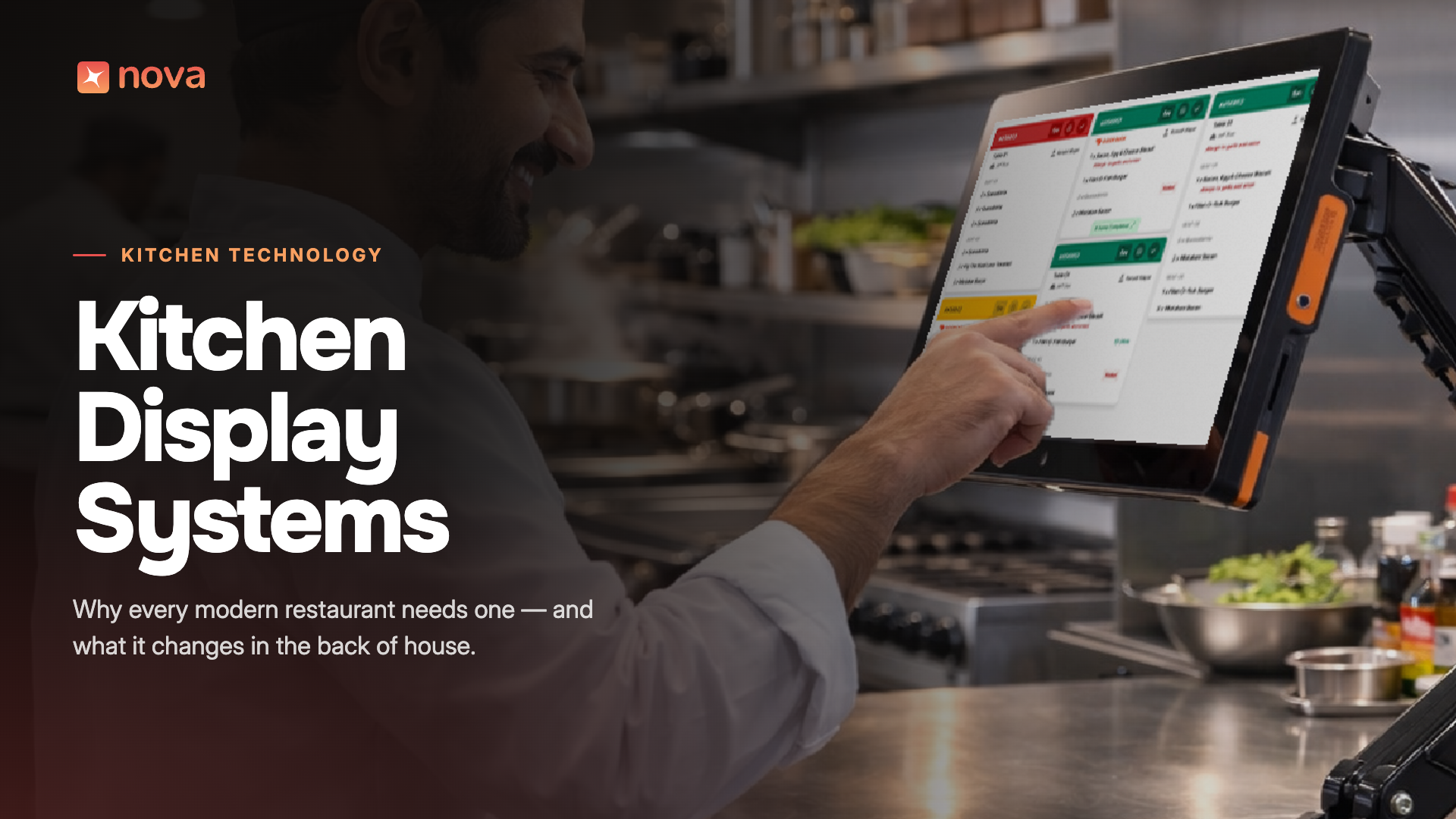
A kitchen display system (KDS) is an order management platform for the Back of House in a restaurant. It is a combination of both software (used for order management functions) and hardware (used to display orders).
KDS replaces the conventional paper tickets and printers by integrating with restaurant POS systems like NOVA and other ordering platforms. Orders from these platforms are displayed in real-time on the KDS, enabling the kitchen staff to get complete visibility of their workload. Moreover, all the modifications and add-ons are displayed alongside the order.
Kitchen display systems keep the server and the kitchen staff in sync to ensure no delays and accurate orders.
The Kitchen Display System Market in 2026: Key Stats and Trends
Because "kitchen display system" is defined differently across research firms, market-size estimates vary, but the direction is consistent: steady, double-digit growth driven by cloud adoption, delivery volume, and labor pressure.
- Market size: Astute Analytica sizes the global KDS market at US$469.67 million in 2024, growing to US$858.60 million by 2033 (CAGR of 6.62%). Verified Market Research puts 2023 revenue at US$409.2 million, reaching US$812.3 million by 2031 (12.5% CAGR) (Astute Analytica; Verified Market Research).
- Installed base: IndexBox estimates the number of KDS units in commercial kitchens will grow from roughly 3.8 million in 2025 to more than 9.5 million by 2035 (IndexBox).
- Cloud shift: Cloud-connected KDS platforms are forecast to account for 65-70% of new installations by 2030, up from an estimated 30% in 2022, reflecting a broader move away from on-premises kitchen hardware (IndexBox).
- Who's buying: Large, multi-unit operators currently account for roughly 70% of market consumption, though cloud pricing is making KDS increasingly accessible to independent restaurants (Astute Analytica).
- Where the growth is: Quick-service and fast-casual restaurants make up an estimated 42% of global KDS unit placements, as speed and order-volume pressure make digital tickets especially valuable in that segment (IndexBox). North America remains the largest regional market, with Asia-Pacific growing fastest at an estimated 13.5% CAGR.
Benefits of Using a KDS in Your Restaurant
Implementing a KDS is a win-win situation for restaurants, as it enhances kitchen efficiency and reduces operational costs while ensuring guest satisfaction. Let’s discuss the major advantages in detail.
Faster Order Processing
Digital tickets eliminate handwriting delays, lost slips, and manual sorting. Independent case studies cite prep-time reductions in the 15-25% range once kitchens move to a KDS, with reported ticket-time cuts as high as 15-20% in some deployments (Astute Analytica).
Fewer Errors
Because orders route automatically to the correct station with modifiers and allergens clearly flagged, restaurants report meaningful drops in misfired or incorrect orders. Vendor case studies put the improvement in order accuracy at up to 30-40%, with some deployments reporting even larger reductions in specific error types (Astute Analytica). As with any vendor-reported figure, actual results vary by kitchen layout, menu complexity, and staff training.
Real-Time Updates
Rush orders, voids, and modifications sync instantly across every screen, so the whole line sees the same information at the same time, with no need to walk a corrected ticket back to the grill.
Seamless Front-of-House to Back-of-House Communication
A KDS closes the communication gap between servers and cooks. Status indicators (new, in progress, ready, late) mean expo and FOH staff always know exactly where an order stands without shouting across the pass.
Reduced Food Waste and Paper Costs
Paper tickets aren't free. Operators moving off thermal printers have reported eliminating $50-60 per case in thermal paper costs, with some kitchens burning through a case a week before switching to digital ticketing (Toast, 6 Benefits of Restaurant Kitchen Display Systems). More broadly, food-system-related emissions are estimated at roughly a third of total global greenhouse gas emissions, and tighter, more accurate kitchen workflows are one lever restaurants can pull to reduce waste and improve sustainability.
How KDS Systems Improve Restaurant Operations
Faster Table Turns = More Revenue
When it comes to customer service, speed matters. Guests should not be left waiting at any stage, be it in the queue, while ordering, or between meals. By adopting a KDS system, kitchens can prepare orders faster and better. All the cooking stations are in sync, enabling servers to serve meals fresh and in the right order. This results in a delightful guest experience and a high table turnover.
Accurate Orders = Happier Guests
Let’s assume a guest requests “no onions” on his pizza. However, when the pizza arrives, the first thing he notices is the onions. It not only hampers his personal guest experience but is also noticed by other guests.
This level of accuracy fosters loyalty among guests and ensures a high NPS score.
KDS System vs. Traditional Paper Tickets
Let’s check out a brief comparison between KDS and the traditional method of paper tickets.
Features to Look for in a KDS
Here are some features that make a KDS system the best in the market.
Easy Deployment and Usage
A kitchen display system must be easy to deploy without requiring core technical expertise. Moreover, restaurants utilize significant time and resources in onboarding a new tool and training employees. Hence, a kitchen display system should have an easy-to-use interface to cut the overall training time.
Seamless Integration with Restaurant POS
A kitchen display system should integrate with the POS to facilitate real-time data flow. It also provides restaurant operators with advanced analytics. However, a better option is to opt for a comprehensive restaurant management platform like NOVA that eliminates multi-vendor integration challenges and errors.
Multichannel Integration
The KDS system you choose must facilitate orders from all platforms, including online, delivery, takeout, and in-house dining. The dashboard must be user-friendly and segregate all orders according to channels and stations.
Real-time Updates and Alerts
A kitchen display system must offer real-time updates on each item. For instance, if a guest has canceled the order, it should be displayed immediately so the chef does not start preparation. Moreover, if the guest wants to modify the order at the last minute, the information must flow from the POS to KDS in real time.
.png)
Empowering Back-of-House Teams with Nova's Kitchen Display System
Nova's Kitchen Display System is built to give back-of-house teams the same real-time visibility that modern front-of-house tools already provide. It's designed as a native, all-in-one part of the NovaTab platform, not a bolted-on third-party integration, so orders from your POS, online ordering, and delivery channels land on one unified, easy-to-read screen with no lag and no manual syncing.
For multi-unit operators evaluating a KDS in 2026, the questions worth asking any vendor are straightforward: does it integrate natively with your POS, does it consolidate every ordering channel into one queue, and does it give you usable, exportable data on kitchen performance after the shift ends. Book a Nova demo to see how it handles a live order flow.
Frequently Asked Questions
What is a Kitchen Display System used for?
A Kitchen Display System replaces paper order tickets with a digital screen-based workflow. It receives orders directly from a restaurant's POS and displays them to kitchen staff by station, course, and priority, updating in real time as items are prepped and completed.
How much does a Kitchen Display System cost?
Pricing varies widely by vendor, screen count, and whether the platform is cloud-based or on-premise. Many modern providers, including cloud-based platforms, price KDS as part of a broader POS subscription rather than a large standalone hardware purchase, which has lowered the entry cost for independent restaurants.
Does a KDS integrate with my existing POS?
Most modern Kitchen Display Systems are built to integrate directly with popular restaurant POS platforms, syncing orders automatically. Before purchasing, confirm the KDS has a native (not third-party-bridged) integration with your specific POS to avoid sync delays.
What's the difference between a KDS and a kitchen printer?
A kitchen printer produces a static paper ticket with no real-time status tracking, no analytics, and no way to flag rush or late orders. A KDS is interactive: tickets update live, can be marked complete or bumped, and generate performance data over time.
Is a Kitchen Display System worth it for a small, independent restaurant?
Increasingly, yes. Cloud-based pricing has brought KDS costs down significantly compared to legacy on-premises hardware, and with labor costs now consuming roughly 35% of operating budgets industry-wide, even modest gains in order accuracy and ticket speed can meaningfully affect a small restaurant's margins.
Conclusion
A Kitchen Display System is no longer just an efficiency upgrade for high-volume chains. It's a response to two converging pressures every restaurant is facing in 2026: thinner margins and a persistently tight labor market. The data is consistent across independent research firms and vendor case studies alike: faster ticket times, meaningfully fewer errors, less wasted paper and food, and kitchen staff who ramp up faster on a visual, structured system than they do on handwritten tickets.
If you're still running paper tickets in your kitchen, the case for switching is increasingly a financial one, not just an operational one. Schedule a demo of Nova's kitchen display system to see it running against your own menu and order volume.